


Sim Failure iPhone 13 Error – How to Fix It in Minutes?
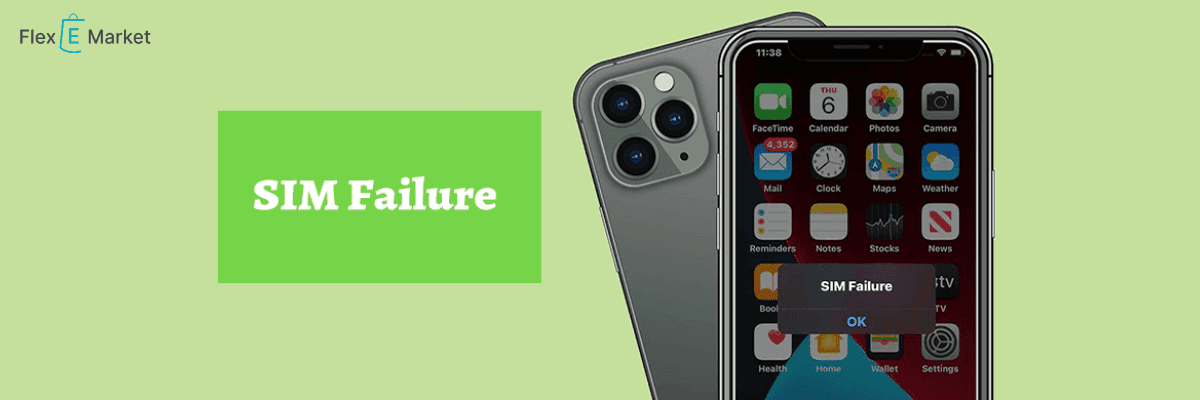
Sim Failed If you have an iPhone, the problem is that it can't find your SIM card. It could be because the SIM tray is dirty, the card is broken, or there is a bug in the program. No matter what it is, we do have some answers to offer.
This step-by-step guide will help you fix Sim failure iPhone 13 and get your iPhone working again. By the end, you'll know what to do if your Sim failure iPhone 13 card fails.
SIM Failure iPhone 13 - What You Need to Know?
When your iPhone 13 doesn't see or use the SIM card, this is called SIM failure. It's always a bother. You are in trouble no matter what kind of iPhone you have, not just an older one but also the newest one, the 13-inch iPhone. Your phone can't connect to your cell network if it doesn't have a SIM card. There is no way to make calls, send texts, or use cell internet.
On the network, a SIM card is like a business card for your phone. If it's a SIM failure iPhone 13, your ID card isn't working right. It can be annoying when your iPhone SIM card doesn't work, but don't worry. A broken SIM card in an iPhone can cause a lot of problems that are easy to fix. What you need to do first is understand what is going on.
Early Warning Signs of SIM Failure iPhone 13:
If your iPhone's SIM card fails, the message that shows up on your screen is the clearest sign. It's possible to see "No SIM," "Invalid SIM," or "SIM Failure." This is how your iPhone lets you know that it can't use the SIM card. Seeing "No Service" in the upper left area of your screen is another usual sign. This means it can't connect to your mobile network.
Aside from that, you might need help writing or talking. A message will show up every time you try. In this case, using mobile data will also not work at all. It seems like your phone is not connected to any network at all. These are some clear signs that an iPhone's SIM card isn't working. If you see any of these signs, especially on a brand-new iPhone 13 128gb, SIM failure could be the cause of the problem.
Why Your SIM Card Might Not Be Working?
iPhone SIM loss can be caused by a number of things, such as:
Physical issues
SIM card damage, dirty or dusty SIM tray, SIM card not properly placed, SIM tray not working, etc.
Software issues
iOS version that is too old, bugs in the software, and provider settings that need to be updated.
Network issues
There are issues with the network or your account.
Hardware issues
Hardware damage to the iPhone itself can also stop the SIM card from working, though this happens less often.
If your SIM card is broken, you can get a new one at the store closest to you. You could also buy a new Vi SIM card online. There are many good things about a Vi SIM card with a prepaid plan.
- You can make as many calls and use as much data as you want.
- You can choose your own number with your favorite digits.
- You can choose which OTT and lifestyle benefits you want.
- The Vi app has free games and more.
Top Solutions for SIM Failure iPhone 13:
Do a few quick fixes first if your iPhone says "SIM failed."
- Turn your iPhone off and on again. It might make your phone work better in a lot of ways.
- Turn on Aeroplan Mode, wait a moment, and then turn it off. It might make your network link work again.
- Make sure your SIM card is still working in your iPhone by checking it. Take it out and put it back in.
- Make sure the tray fits it well. This easy step can often fix it.
Inspect and Clean Your SIM Card Properly
If your iPhone Verizon or any other carrier's SIM card doesn't work, it could be because the card is dirty or broken. Pull the SIM card out of the iPhone slowly. Look at it very carefully. Is it dirty or broken? Take care to clean it if it's dirty. To clean the gold contacts, use a soft, dry cloth. Be very careful not to scratch the card.
Once the SIM card is clean, put it back in the iPhone, but this time make sure it fits right. The cut corner should fit perfectly with the tray's shape. At this point, if your see "SIM failure iPhone 13," the SIM card may be broken. A new one from your company will need to be sent to you.
Update Your iPhone - iOS and Carrier
One reason why SIM cards can't work in iPhones is software that is too old. First, see if there is an update for iOS that you can get. Select General from the menu, then click on Software Update. If there is an update, install it because it might fix bugs that are making your SIM work wrong.
Setting up the transport is just as important. They make it easy for your unlock iPhone to connect to your network. Go to Settings, then General, and then About to get the app. When a fix is ready, a pop-up will tell you. It will say Update when you see it. This can fix a lot of issues with SIM failure iPhone 13, Verizon, and other service issues.
Network Settings Reset
If your iPhone keeps telling you that the SIM card failed, try clearing your network options. This can fix a lot of problems with connection and could even fix a SIM failure in an iPhone 11 64gb or iPhone 13 128gb unlocked. Select "General" from the menu, then "Reset." Press the "Reset" button. Type in your password if asked to. Your iPhone will start up again. After that, you'll need to reconnect to Wi-Fi networks and pair your Bluetooth devices again. But it might fix your SIM issue.
Hardware Solutions for SIM Failure iPhone 13:
Check SIM Tray
Pay close attention to your SIM box, especially if your iPhone 13 SIM card doesn't work. This tool will help you take out the SIM card. Look for any damage or trash that can be put on top of it. Use a soft, dry cloth to clean it gently. The tray shouldn't be bent. A broken tray can make Verizon iPhone SIMs not work or make any provider not work right. If the tray is broken, you should probably get a new one.
Try Using Another SIM Card
Putting a different SIM card into your iPhone will help you figure out if the issue is with the SIM card or the phone itself. It might be broken if it starts to work with a different SIM card. This test can be done on any model, even if the SIM card doesn't work in an iPhone 13 Pro or an older model. It means something is wrong with your iPhone if no SIM card seems to work.
Detect Possible Hardware Issues
Hardware problems can sometimes cause the SIM card in an iPhone 13 Pro to stop working or cause problems in other models. Check for signs of damage from water or harm to the body. Look for damage that you can see around the SIM tray. This could be the reason if your iPhone was dropped or wet not long ago. This is when you should go to an Apple Store or an authorized service shop for more help, or if nothing else works.
Don’t Ignore a ‘No SIM’ Notification - Here’s Why:
The Verizon user says she was on her iPhone 13 when she got a message saying the SIM card wasn't there.
"I couldn't call anyone after that." I wasn't getting calls. All of my calls would not go through. "I couldn't text," she says.
Soon after, she says her boyfriend cleaned her SIM card, which made her service come back for a short time. Soon after, though, she says her phone showed her the message again, which made her take out and clean the SIM card several times.
When she was going to work a few days later, things got worse. She says she saw that her phone went silent while she was following its GPS. By the time she got to work, she says that the phone's Wi-Fi and all of its apps except for Safari and Gmail were broken.
She says she tried to change her SIM card to an eSIM by following Verizon's instructions. To do this, she needed to receive a text message from the account holder, but she couldn't reach the account holder, who was her father, so she couldn't set up the eSIM, she says.
She says that to fix the issue, she looked up how to get to the closest Verizon shop and went there after work. It took some work—she says she had to show ID to prove who she was and that she and her mother had different phones—but she was able to turn the phone into an eSIM, which should fix the "No SIM" problem for good.
"If you see the message 'no SIM,' go do something else, or your phone will die on you and no one can help you," Mason says.
Mason previously caused a stir when she said that her name made it hard to use her phone to place an order at Starbucks.
It’s Common, According to Commenters
People who commented say that problems with iPhones like the one Mason mentioned are frequent.
One person wrote, "Verizon employees all say they are having issues."
"Stop, stopping that on my phone right now." "I have the 13 pro," said someone else.
"My phone has been on SOS for two weeks because it doesn't have a SIM card, and now it's completely broken because I just waited," said a third.
Another TikToker yelled, "Fun fact: this REALLY FREAKING HAPPENED TO ME TODAY!" "Just get it fixed by a professional!" Verizon said, "Sure, I can fix it!" It only took them an hour!"
When Is It Time to Call Apple Support or Your Carrier?
If you can't figure out how to fix the problems with your iPhone 13's SIM card failing, you should get help from a professional. If the simple fixes for iPhone SIM card failure Verizon or other providers didn't work and you're still having issues, you can call your service provider. They can either look into the network trouble or give you a new SIM card.
Get in touch with Apple Support if the Sim failure iPhone 13 Verizon issue is still there or if there is any other tech issue. The business has high-tech tools that can fix iPhone SIM failing issues that are hard to fix on your own. Getting professional help before you try to fix the SIM failure iPhone 13 yourself will keep you from damaging your device by accident.
It doesn't matter if the iPhone 12 unlocked sim fails, the iPhone 14 sim fails, or none of these problems. They drive me crazy. Most issues are very easy to fix. You could start by putting the SIM card back in or restarting your device.
You can also call your service provider, whether it's Verizon or another company for the iPhone 13. Verizon will help you fix your iPhone sim card that won't work. Talk to Apple Support if the problem doesn't go away. You can fix SIM failure iPhone 13 problems and use your device properly again if you are patient and take the right steps.
Conclusion:
Dealing with a SIM failure iPhone 13 Particularly when it limits your ability to make calls, send texts, or use mobile data, iPhone 13 may be aggravating. Fortunately, most of the time the problem is minor and requires just a few easy fixes. Try turning Aeroplan mode on and off, reseting your iPhone, removing the SIM card and reinserting it. Usually, these fast moves address the issue immediately.
You also should maintain your iPhone current. Sometimes obsolete carrier settings or software might cause the SIM to malfunction. Should that be ineffective, reseting your network settings or trying a different SIM card will enable you to determine if the phone or the SIM card itself is the cause of the issue.
Should none of these fixes prove successful, it may be time to see your carrier or Apple Support—particularly considering hardware damage possibilities. Never overlook a "No SIM" or "SIM Failure" alert. Early on fixes to the problem will help you avoid more major issues down road. The SIM failure iPhone 13 problem may be overcome with a little patience and the correct actions, thereby returning to normal phone use.
Also Read: IPhone vs Samsung Performance: What’s the Better Choice?
FAQs:
Q: Why does my iPhone 13 say SIM failure?
A: These are two general messages that your iPhone might show if it can't find the SIM card or if it's not in the tray properly. You can't make calls or send and receive text messages because the phone won't be able to connect to the network.
Q: How to fix sim failure iPhone 13?
A: Follow these steps to fix an iPhone 13 with a SIM card that won't work:
Step 1: Take out the SIM card and put it back in.
Step 2: Turn the iPhone off and on again.
Step 3: Turn on or off the Aeroplan mode.
Step 4: Get the most recent iPad app.
Q: Could a SIM card get broken? If so, how would I know?
A: Yes, SIM cards can get broken by being dropped or having power problems. If the phone can't find the SIM card, the signal drops often, or you keep getting "SIM Failure" alerts, it's likely that the SIM is broken.
Q: So, I need either a new SIM card or an iPhone, right?
A: Not all the time. Most of the time, SIM Failure iPhone 13 is caused by software or orientation problems that can be fixed. You might need a new SIM card or fixes, though, if the SIM is broken or the phone has hardware issues.
Q: How can I keep my iPhone from having SIM Failure?
A: To keep your iPhone 13 from having SIM Failure, make sure the SIM card is properly placed in the tray, keep your iPhone running the latest version of iOS, and keep your phone away from water or damage that could affect the SIM slot.